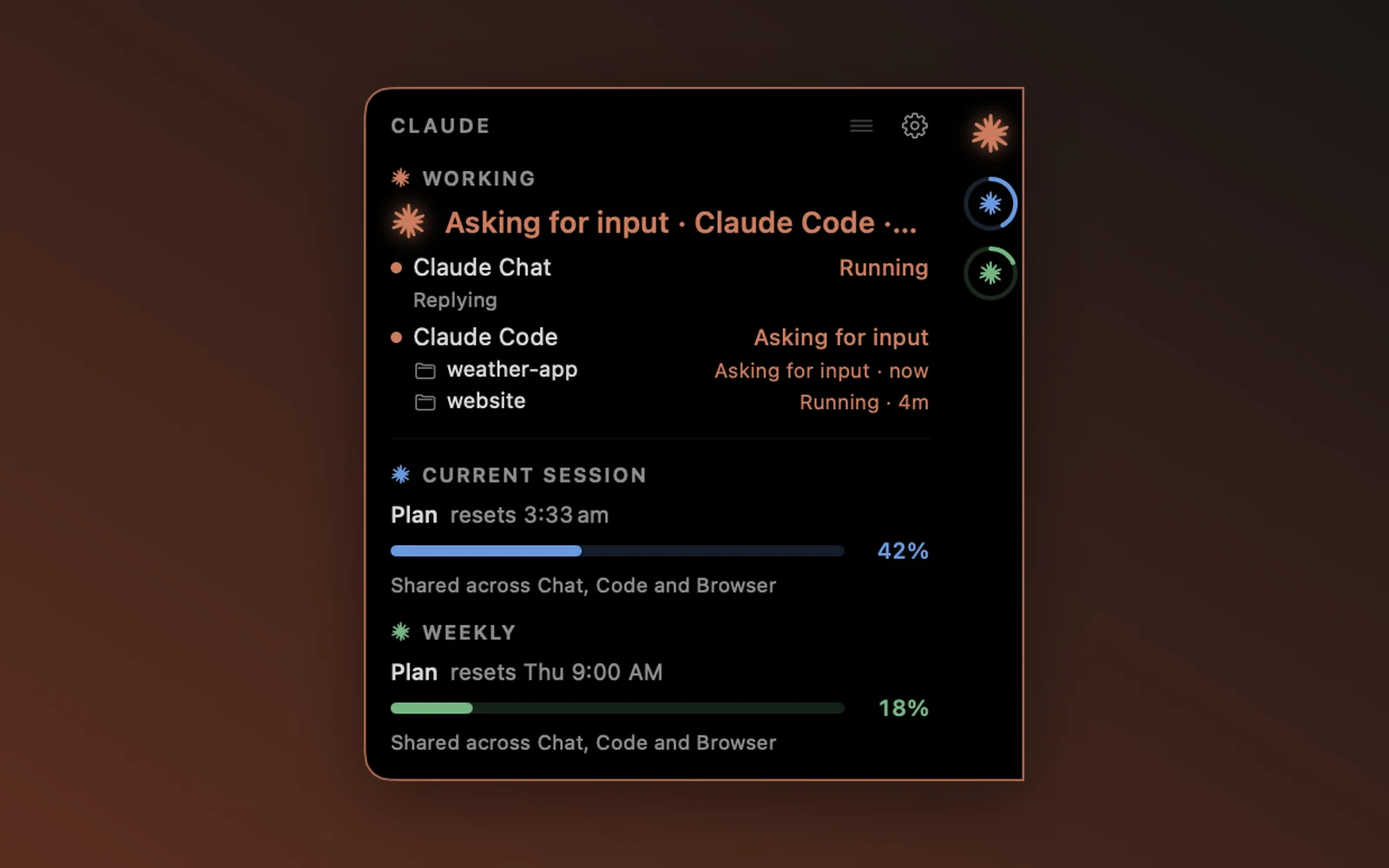
A thin tab sits on the side of your screen. Move the pointer onto it and it grows into a small panel that shows what Claude is working on and how much of your plan is left. It glows yellow when Claude needs you.
Running: the icon spinsAsking for input: the tab glows yellowHover to see what Claude is doing and your plan usageReady: the icon rests
What it shows
Glows when you're needed
Know the moment Claude needs you.
The tab lights up yellow when Claude is waiting on an answer from you.
CLAUDE≡ ⚙
WORKING
Asking for input · Claude Code
Claude ChatRunning
Replying
Claude CodeAsking for input
weather-appAsking for input · now
websiteRunning · 4m
CURRENT SESSION
Planresets 3:33 am
42%
Shared across Chat, Code and Browser
WEEKLY
Planresets Thu 9:00 AM
18%
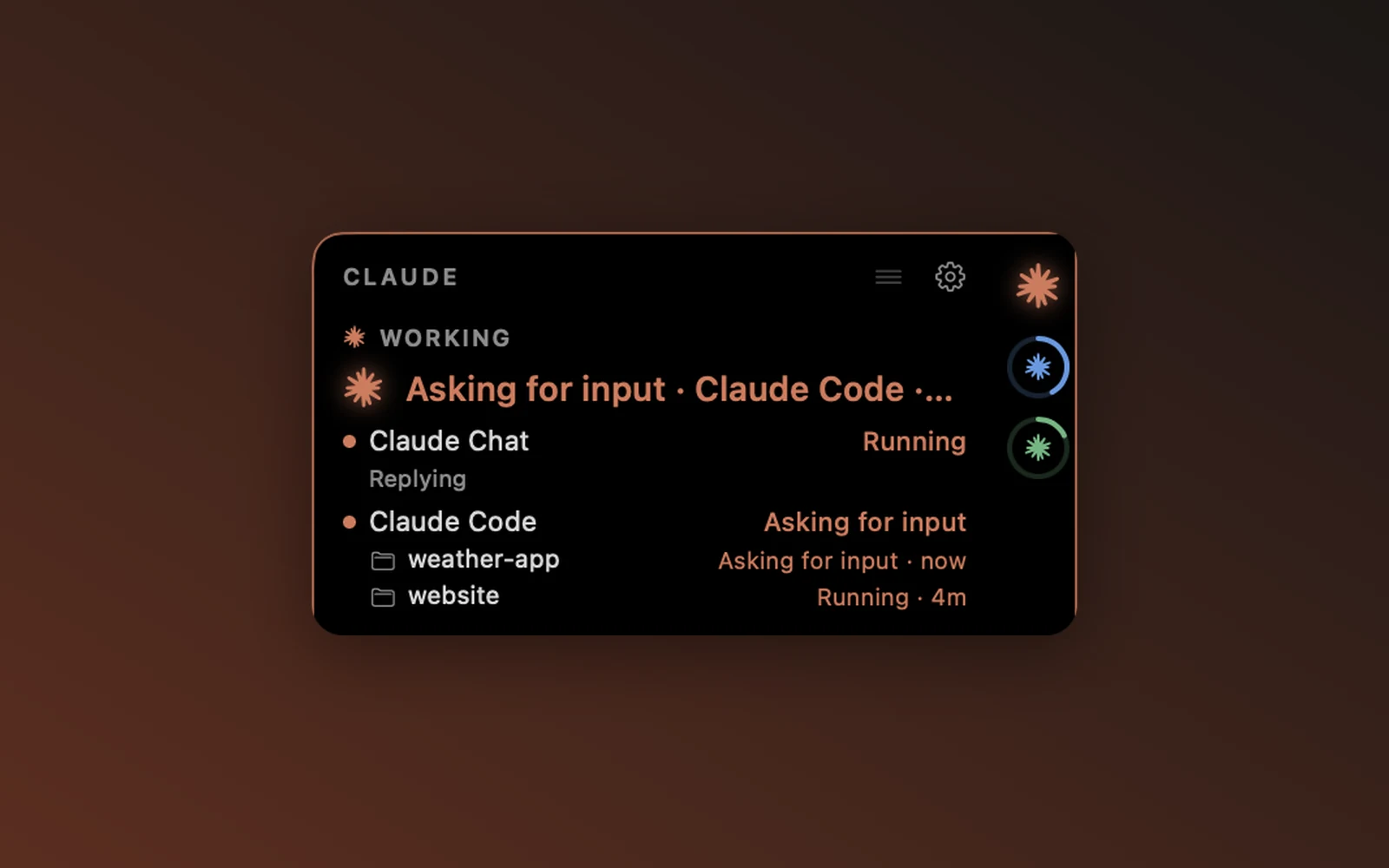
Working
Every session, at a glance.
Claude Chat, Claude Code and Claude Browser, each on its own row: Asking for input, Running, Ready or Off.
CLAUDE≡ ⚙
WORKING
Asking for input · Claude Code
Claude ChatRunning
Replying
Claude CodeAsking for input
weather-appAsking for input · now
websiteRunning · 4m
CURRENT SESSION
Planresets 3:33 am
42%
Shared across Chat, Code and Browser
WEEKLY
Planresets Thu 9:00 AM
18%
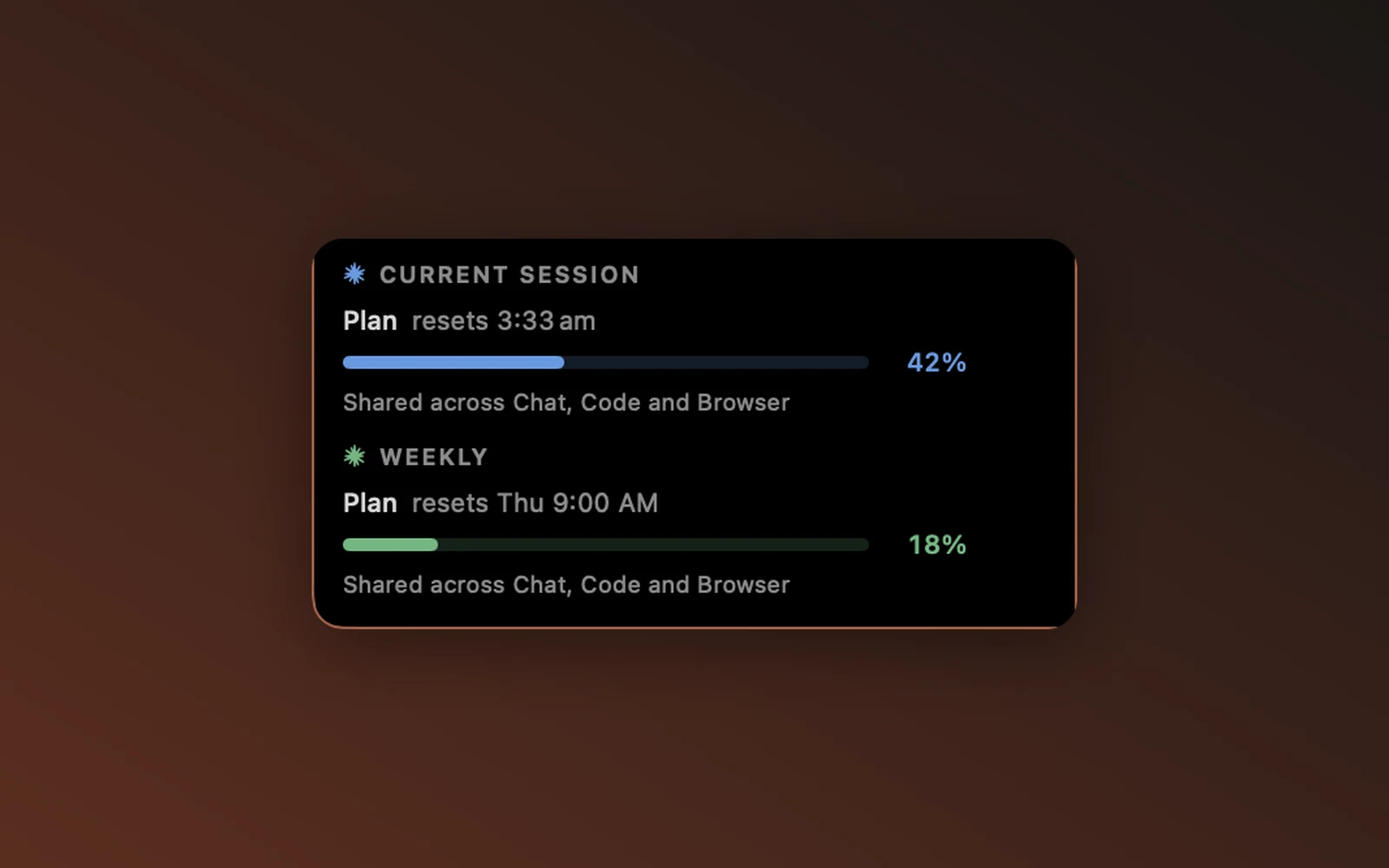
Current session and weekly
Your plan, before it runs out.
How much of your plan's current session you've used, shared across Chat, Code and Browser.
CLAUDE≡ ⚙
WORKING
Asking for input · Claude Code
Claude ChatRunning
Replying
Claude CodeAsking for input
weather-appAsking for input · now
websiteRunning · 4m
CURRENT SESSION
Planresets 3:33 am
42%
Shared across Chat, Code and Browser
WEEKLY
Planresets Thu 9:00 AM
18%
More features
Weekly
Your weekly plan usage, so you know how much is left before it resets.
Honest numbers
Anything that's a guess is tagged Estimated. Sources it can't see on your Mac stay hidden.
Updates itself
Settings → About → Check for Updates downloads, verifies and installs the new version, and keeps your settings.
Version 0.0.4 · 20 November 2026
What's new
Check for Updates can now install the update itself: click Install and Relaunch in Settings → About, and ClaudeNotchEV downloads, verifies and reopens, keeping your settings.
Coming from 0.0.3 or older? Download the DMG once and drag it into Applications. From then on, updates install from inside the app.
Open Settings → Setup and follow the checklist until every step has a green tick.
Updates
Settings → About → Check for Updates downloads, verifies and installs the new version, and keeps your settings.
Privacy
No accounts and no tracking. Your messages are never read. Not affiliated with or endorsed by Anthropic.
Licence
Free to download. The source code isn't public: GitHub hosts the downloads and release notes.
Questions
How do I install ClaudeNotchEV?
Download ClaudeNotchEV.dmg and open it.
Drag ClaudeNotchEV onto the Applications folder.
Open it from Applications. It isn't notarized by Apple, so the first time macOS says it can't check it: click Done, then open System Settings → Privacy & Security and click Open Anyway next to ClaudeNotchEV. You only do this once.
If the Open Anyway button doesn't appear, or macOS says the app is “damaged”, run xattr -dr com.apple.quarantine /Applications/ClaudeNotchEV.app in Terminal. It only removes the “downloaded from the internet” flag.
Then open Settings → Setup and follow the checklist until every step has a green tick.
What do I need?
Any Mac, Apple silicon or Intel, with or without a notch, and macOS 14 Sonoma or later. For the Claude sources: the Claude desktop app and/or Claude Code (each is optional).
Which permissions does it ask for?
Each setup step explains itself first and can be skipped: the Claude Code step installs small hooks in ~/.claude/settings.json (backed up first) and asks macOS for nothing; Claude Chat asks for Accessibility, to watch the Claude desktop app's “Stop response” button (it never reads your messages); Plan usage asks for Keychain access to your Claude Code login.
Does it collect any data?
No accounts, no tracking. Nothing leaves your Mac except Check for Updates (asks GitHub for the latest release, and downloads it if you click Install) and plan usage, if you turn it on (asks Claude's usage service with your own Claude Code login). Your messages are never read.
How do updates work?
Open Settings → About and click Check for Updates. If there's a newer version, click Install and Relaunch: the app downloads it, checks its checksum and signature, replaces itself and reopens. Your settings are kept.
How do I uninstall it?
Quit ClaudeNotchEV from its menu bar icon. If you installed the Claude Code hooks, remove them first in Settings → Sources → Remove Hooks…. Then drag the app from Applications to the Bin.
Keep an eye on Claude.
See what Claude is doing, and how much of your plan you've used.